Gian.coolGianfranco's blog
Making a 5-minute history of the fax with Claude Code, HyperFrames and Gemini TTS
Read more →I made a 5-minute explainer about the history of the fax machine without opening a video editor. Claude Code did the research, wrote every scene as HTML, and HyperFrames rendered it to MP4 on my own machine. Gemini read the narration.
Your mini home lab as an on-demand cloud server - WakeBridge
Read more →Do you have a beefy PC probably under your desk? Or do you have a dedicated room and you’re building a home lab?
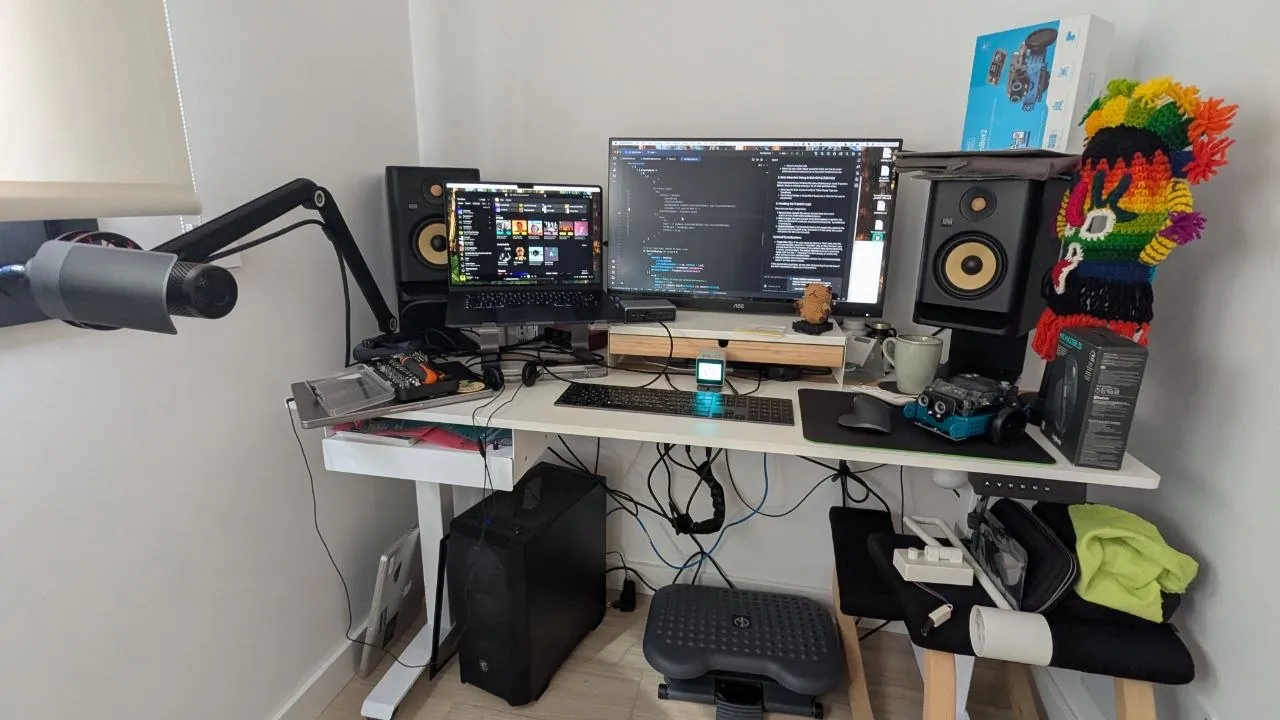
If you’re not using it 24/7, leaving a desktop running wastes ~€7/month of electricity and dumps heat into your room (full breakdown below)—whereas suspended, it uses almost nothing and wakes up in seconds.
Now that coding agents can do a lot, I’ve been walking my dog and doing small fixes on my coding projects. And my Ubuntu server with 1TB of SSD is much faster than my MacBook Air and I don’t have to worry about the laptop going to sleep or connecting it to a charger.
Renting an equivalent cloud box (12 threads, 32 GB RAM, 1 TB NVMe, 16 GB GPU) would easily run €150+/month — whereas I already own this hardware, and if it sleeps when idle, it behaves like a scale-to-zero server at home.
I started putting this PC to sleep (which I call my RTX machine) by pressing the physical button before I go to sleep and pressing it when I want it on. Or via this command:
sudo systemctl suspendAfter a few times I realised I can do both remotely. I have an always-on Jetson Nano mini computer (you can use a Raspberry Pi too) that’s connected to Tailscale – private free VPN for your devices. So when walking my dog and I want to use Claude Code, T3 Code or Codex, I can SSH into the Jetson Nano, and send a wake-on-lan packet:
$ cat ./wakertx.sh
wakeonlan 34:5a:60:0b:c0:24

$ ./wakertx.sh
On my Android phone I use JuiceSSH but Termius is good too.
This wakes up the sleeping gianT* (gianRTX). Since this machine is also on my Tailscale network, I can then SSH and run any more powerful tasks like Claude Code or any benchmarks. And now it’s actually a GitHub runner for my startup.
After waking it up and shutting it down every other day, I thought there must be a better way.
Introducing WakeBridge

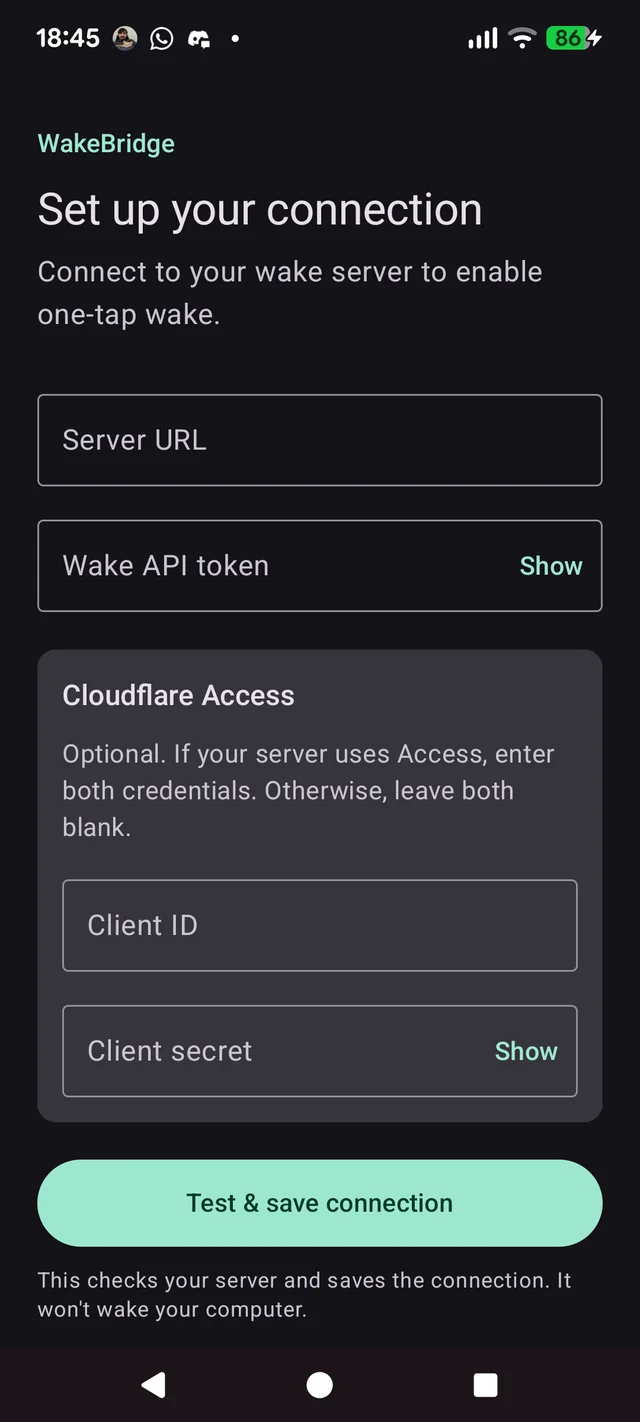
https://github.com/gianpaj/wakebridge
An Android App that turns on your remote PC
Android app or widget
        │
        │ HTTPS: Cloudflare credentials + app bearer token
        ▼
Cloudflare Access and Tunnel (optional)
        │
        │ HTTP over the tunnel to 127.0.0.1:8787
        ▼
Always-on computer (e.g. Raspberry Pi or Jetson Nano): WakeBridge server
        │
        │ UDP Wake-on-LAN magic packet
        ▼
Powerful PC or Mac
Tap widget → Sending… → Waking… → Online
Why not an SSH snippet or HTTP Shortcuts?
A few reasons I wanted a dedicated app + tiny Go server:
- Know when it’s actually booted: Sending a magic packet doesn’t tell you if the machine woke up. WakeBridge’s Go server probes
gianRTX’s SSH port (GET /status), and the Android widget polls every 2 seconds until it flips from Waking… to Online. - No always-on phone VPN needed: Wake-on-LAN is a Layer-2 LAN broadcast, so something needs to be in my home network. Using Cloudflare Tunnel + Access means I can tap the widget over cellular data without keeping Tailscale running 24/7 on my phone battery or pressing another few buttons.
- Honestly, I didn’t know they existed: I thought, how hard can it be for a coding agent to build a mobile app plus the necessary machinery?
Going back to sleep automatically
The mobile app doesn’t have a sleep or shutdown button. I didn’t want to remember to turn the PC off and we can do something better.
Instead,
gianRTXputs itself back to sleep after 15 minutes of inactivity using Ubuntu’sautosuspenddaemon (my install script & config).Every 30 seconds, it resets the 15-minute idle timer if any of these are busy:
- CPU or GPU load (
load > 1.0or a customautosuspend-gpu-busycheck) - Network traffic (
> 50 KB/sover Ethernet ortailscale0) - Active ports & package managers (Ollama on
11434, Tailscale Serve on443, orapt/dpkg/rsync) - Active Codex turns: an LLM agent waiting on an API call uses almost zero CPU, so a custom
autosuspend-codex-busyscript checks Codex’s local control socket—active turns keep the PC awake, while an idle open chat lets it sleep.
Vibe-coding it (and walking the dog)
All of this was vibe-coded using Android Studio on Mac. I have experience building production React Native apps, so that helps when debugging things. Except for when Codex on the RTX machine decided to install all the Android SDK tooling to build on Ubuntu :D
Now I get cloud-server convenience on my own hardware: one tap on the widget when I need it while I’m out with my dog, ~5 seconds later it’s online over Tailscale, and 15 minutes after my coding agent finishes, it goes right back to sleep.
What leaving it on actually costs
Without a wall power meter (
nvidia-smionly reports GPU draw, not CPU, motherboard, or PSU losses), a realistic wall estimate for a Ryzen 5 7600X + 32 GB DDR5 + RTX 4060 Ti is 45–75 W at idle (~60 W typical).On my electricity bill in Spain (€0.1596/kWh all-in with taxes), here’s what 24/7 power looks like:
State Wall draw (est.) Cost / day Cost / month (30d) Suspended ~2–4 W ~€0.01 ~€0.25–0.45 Idle on desktop ~60 W (45–75 W) €0.23 €6.90 (~€84/yr) GPU working ~230 W €0.88 €26.44 €7/month of idle draw won’t bankrupt anyone, but it’s €84/year of wasted heat in Malaga — and if you ever run low-margin background GPU jobs (~€0.042/hr), paying for 24/7 idle power means you need ~65% paid utilization just to break even on electricity. Suspending it cuts idle draw to almost zero while still resuming in ~5 seconds.
*My PC’s current specs:
- CPU: AMD Ryzen 5 7600X, 6 cores / 12 threads
- RAM: 32GB DDR5
- SSD: KIOXIA EXCERIA PLUS G3 NVMe, 1 TB SSD
- Motherboard: MSI PRO B650M-P (MS-7E27)
- Graphics card: NVIDIA GeForce RTX 4060 Ti 16 GB
- Power supply: Corsair RM 850x
Paid €970 second hand in May 2026 on Wallapop in Seville.
- Know when it’s actually booted: Sending a magic packet doesn’t tell you if the machine woke up. WakeBridge’s Go server probes
A live, growing waveform for streaming audio with wavesurfer.js
Read more →AI wrote this article.
I was streaming text-to-speech (Gemini’s
gemini-3.1-flash-tts) over SSE. I wanted wavesurfer.js to draw the waveform live as PCM chunks arrived: grow left→right toward the full length and colour the played portion, instead of waiting for a final file.Here’s the result: a synthesized clip that plays in your browser without downloading an audio file.
3dvibegame.com
Read more →A 3d game where you create any object by text
The idea began with a question: What if an LLM can create any 3d object in an open world? And would that look like for players? Imagine in Minecraft or … where anybody you create your own car, jetpack, house or anything you can imagine. An trully open world.
How should we build this
The next question is how to build this. There are several options for a 3d game these days, from web and threejs to desktop games using game engines like Unreal or … Since I have a background on Web development, I decided to first see how build a 3d game for the web. I’ve never done a game and neither a 3d game or even a multi-player game – but since with AI coding I’ve been able to build mini desktop apps in rust, and CLI apps in go. I thought I’d give it a go with the help Codex and similar tools.
How does the game look like?

Here’s what it looks like when multiple people play. They can move around, change their avatar with AI or create or edit any objects.
There is basic collision engine between you and the objects but you can’t bump into other players. And there’s only one world. The idea is to add a lobby soon where you can create your own world and set different rules. Invite others and get crazy :)
Small coding models on Terminal-Bench 2
Read more →Updated on: June 4th 2026
Original date: Feb 26th 2026Frontier models get most of the headlines, but the more interesting race is happening one tier down. Here’s how open-weight and smaller models stack up on Terminal-Bench 2.0.
Benchmark ComparisonSmall Coding Models
Terminal-Bench 2.0Source: Terminal-Bench 2.0 leaderboard. All Qwen3.5 MoE models use activated parameter counts (A-suffix). K2.5-1T-A32B is a 1T-parameter sparse MoE from Moonshot AI with 32B active parameters.
AgentCaller: a phone layer for AI agents
Read more →AI agents are getting pretty good at the internet.
They can search, compare options, fill out forms, click through workflows, send emails, and call APIs. But much of the real world still sits beyond their reach, behind a channel most agents cannot use: the phone network.
That is the idea behind AgentCaller.io, a product I am testing now.
The pitch is simple: let a user’s AI agent call businesses, handle the conversation, and return a structured result the agent can act on.
Not a human call center. Not a browser automation hack. A phone interface built for agents.
Opus 4.6 vs GPT Codex 5.3 vs GPT 5.4
Read more →Updated to include GPT-5.4 and Gemini 3.1 Pro
A comparison of benchmark metrics between Opus 4.6 and Codex 5.3 models.
Anthropic and OpenAI both recently published Terminal-Bench 2.0 results, but in separate charts and a table. I wanted the full picture, so I combined them.
Benchmark ComparisonAgentic Coding
Terminal-Bench 2.0Note: All OpenAI models shown at xhigh compute setting. GPT-5.2-Codex appears twice — 64.7% as reported by Anthropic, 64.0% as reported by OpenAI. Harnesses differ: Anthropic & Google used the Terminus-2 harness; OpenAI used Codex. Scores are not directly comparable across providers.
I Built a Desktop Audio Converter With Claude Code
Read more →I’ve been meaning to build this app, and I actually started around this time last year. But after learning how to “code” or build with AI coding agents like
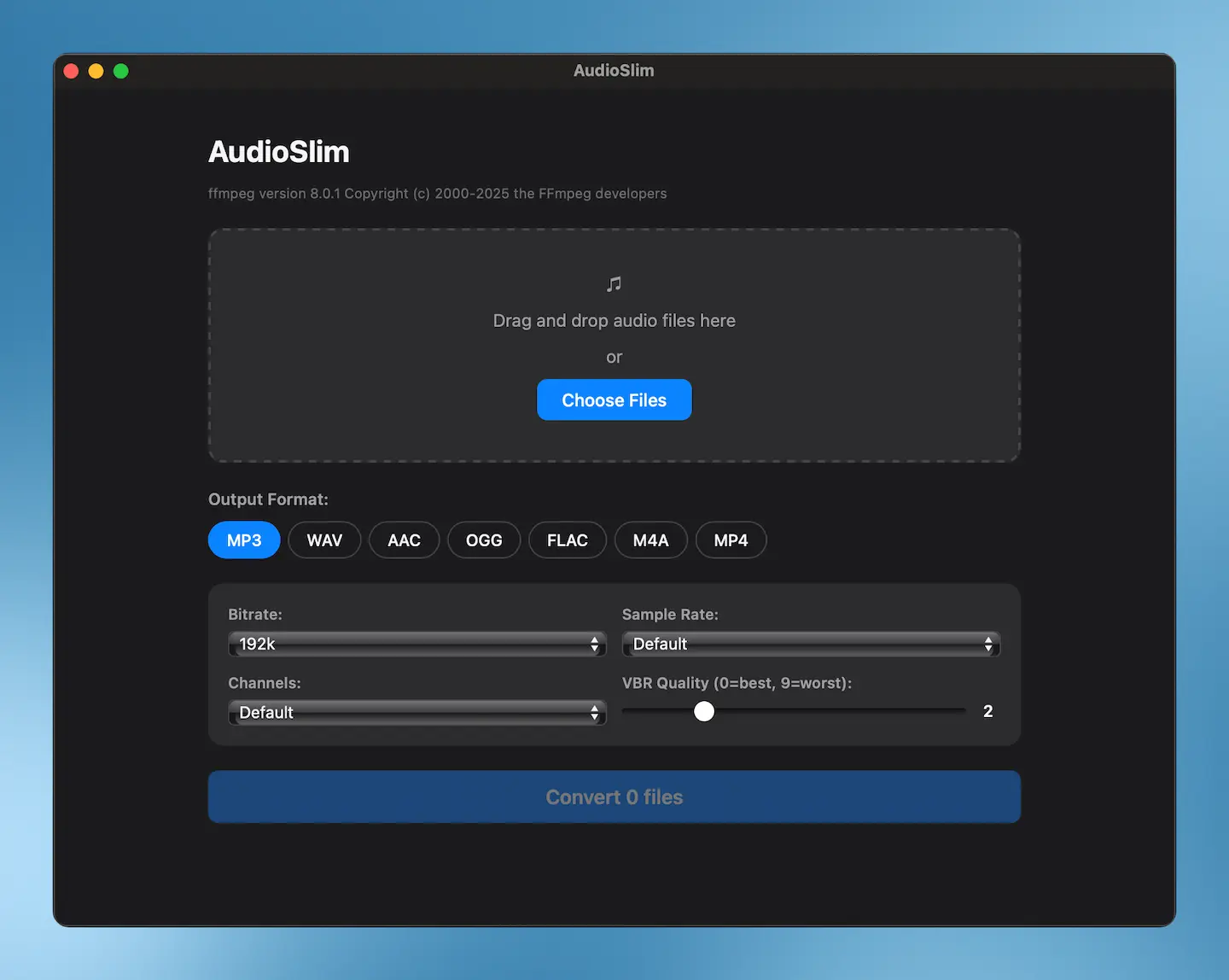
claudecode, I just gave it this prompt:plan how to complete this app. it should allow one or multiple files to be selected or dragged (audio only) and then it should show a box to select which format to convert to e.g mp3, wav, aac,ogg, flac,m4a, mp4) plus certain options that come from ffmpeg to compress the file
It wrote this comprehensive plan. And the it went for it. I asked a small question to fix a small UI color issue. And voila!
A(I) built Audioslim, a native macOS app that converts audio between MP3, WAV, AAC, OGG, FLAC, M4A, and MP4. I built it with claude code, Anthropic’s AI coding assistant for the terminal.